
Hi,
I have been searching around for a tut on how to add an image onto a tower block of flats. I tried to get the image on top of the block of flats and did good but then I had to select and cut all those windows in the block. The image looked immature. Is there a way to get the image on top of the block of flats to look more realistic withow having to cut windows one by one? Thus making it scruffy? (there are at least 50 windows to select and cut).
Thanks
I have been searching around for a tut on how to add an image onto a tower block of flats. I tried to get the image on top of the block of flats and did good but then I had to select and cut all those windows in the block. The image looked immature. Is there a way to get the image on top of the block of flats to look more realistic withow having to cut windows one by one? Thus making it scruffy? (there are at least 50 windows to select and cut).
Thanks


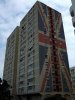


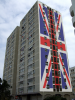
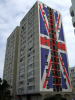

 - I can't say how this might work but it is similar to other image solutions I have done.
 you could use displacement you could use transparency levels also, which will be very tedious in some selections. The levels will need to be tweaked to satisfaction. There are so many ways, we could find ways until the cows come home and still not be finished:mrgreen: