What's new
Photoshop Gurus Forum

Welcome to Photoshop Gurus forum. Register a free account today to become a member! It's completely free. Once signed in, you'll enjoy an ad-free experience and be able to participate on this site by adding your own topics and posts, as well as connect with other members through your own private inbox!

How can I achieve this effect? Pls help...


alley.cat

New Member
Messages
1
Likes
0
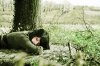
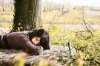
Can someone pls help me out?


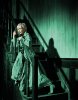
I've been trying for days but I just can't find out how i can achieve a color change at such
a large scale as the images below, where the background is all put into the same shade
(blue or brown-ish) but still allows you to tell different colors apart (i.e. you can actually
see what's black what's white what's the skin color...etc despite everything going into the
same blue/brown shade).
Not sure if what i wrote makes sense...hope it does..
Every time I try to modify the colors I get clippings due to color change...dark gets pitchdark & loses details..


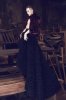
313461_10150450521404913_558559912_10092709_1517478116_n.jpg
383042_10150546917314913_183073940_n.jpg
397063_10150669275754913_558559912_10915667_58861530_n.jpg
 
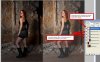
Here is something I did. Though I used more steps, including a multiply layer, it is basically: copy BG layer 4 times (keep the BG layer as is; ie: leave it alone in case needed); desat top one and set it to multiply, merge with color layer below; next layer down change hue and sat to greenish tone, set multiply layer above to 40% opacity and merge these; add layer mask, brush with black to reveal the face in layer below, merge these two layers. (now I am losing track, lol... you may need to create one more copy of the original layer) On last layer below, add hue sat to change to a vibrant yellow green hue; add layer mask to layer above and with soft, low opacity brush, reveal the grass.

That was about it. I don't know if this is the kind of thing you want, but it is a close approximation. And as many ways as I did this are other ways to achieve similar effects or more dramatic ones.

Shoot_by_vampynicole.jpg

Might help to have the original:

Fashion_Shoot_4_by_vampynicole.jpg

before I messed with it, this pic was called fashion shoot 4 by vampynicole on deviant art
 
Last edited:
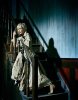
I went about it a little differently. Copied the picture onto a new layer and played with the "black and white" adjustment until I got the kind of contrast I wanted. Then colorized it with a hue/saturation adjustment. I used green just because but could be any color. Added a layer mask and restored the color of her face and hands. I think this gives you the effect you're looking for and is infinitely adjustable.

The original image (which I had laying around) , then the adjusted image. I kept the contrast high for drama, but that can be changed too.

womanOnStairs.jpgwomanOnStairs2.jpg
 

Back
Top