What's new
Photoshop Gurus Forum

Welcome to Photoshop Gurus forum. Register a free account today to become a member! It's completely free. Once signed in, you'll enjoy an ad-free experience and be able to participate on this site by adding your own topics and posts, as well as connect with other members through your own private inbox!

Help with graphic!


Ray1

Member
Messages
7
Likes
0
Can any body help me learn how to do this in photoshop? I found it on google, and i love it.
Thanks
Looking forward<3
love.GoogleJackieRobinsonNew.jpg

GoogleJackieRobinsonNew.jpg
 
Hey.....first off, what version of PS do you have...CS or elements?

Find a picture of your liking, use a few FX and filters to get the art look, then make your letters , color, weather them using brushes and undo the vibrance for the pastel look. Mask the player with your letters . Should be a great , fun learning work!
 
I'm using PhotoshopCS5 , and please can i have pictures tutorial, I'm a newbie, like really not that much of a learner by words :(
 
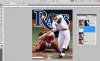
This is a quickie, showing a rough layout to get you started.

I found A Tampa Bay Rays background picture and the team logo...(Rather than my own TEXT layer)

A quick mask to give me some room for text behind the player, but in front of the others.
By moving the letters under the mask, I hid bits. I did not apply any FX to any thing... But you can do the layers together or clipped.

Give it a try...CS5 is a great program !

Rays.JPG
 

Back
Top